3D file viewer, whatever the format
Drop the file and it opens in the viewer for its format: fifteen of them, all in your browser, nothing uploaded. Not sure what a .3mf or a .vox is? You do not need to be.
| Viewer | Opens |
|---|---|
| GLB / glTF viewer | .glb .gltf |
| FBX viewer | .fbx |
| OBJ viewer | .obj |
| VRM viewer | .vrm |
| PMX viewer | .pmx .pmd |
| STL viewer | .stl |
| PLY viewer | .ply |
| 3MF viewer | .3mf |
| DAE viewer | .dae |
| 3DS viewer | .3ds |
| USDZ viewer | .usdz |
| VOX viewer | .vox |
| G-code viewer | .gcode .gco .g .gc .nc .ngc .tap .cnc |
| 3DM viewer | .3dm |
No 3D file at hand? Try a free model
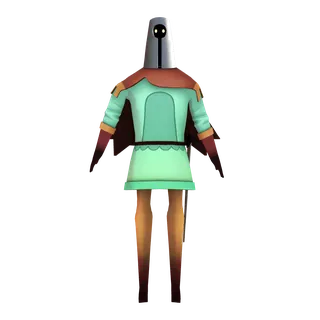
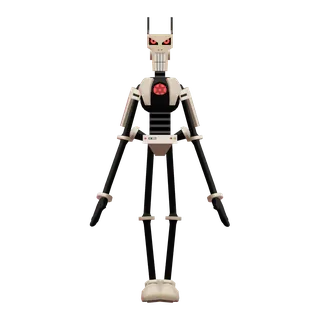
CC0 avatars by Polygonal Mind, as GLB. One click opens the model in the GLB viewer.


How to open a 3D file
- Drop the file on the page, or pick it with the button. The extension says which viewer opens it; the file is carried there in your browser.
- Orbit with the mouse, zoom with the wheel; each viewer has the controls its format needs: clips for GLB and FBX, expressions for VRM, layers for G-code, Z-up for prints.
- A model that comes as a folder, an OBJ with its .mtl and textures, a .gltf with its .bin, is best dropped on its own viewer page with the whole folder.
What opens here
Game and web models: GLB and glTF, FBX, OBJ, Collada DAE, 3DS. Avatars: VRM and MMD's PMX. Printing and scanning: STL, 3MF, PLY, G-code toolpaths. CAD and voxels: Rhino 3DM, USDZ, MagicaVoxel VOX. Each has a page of its own on this site; this one only reads the name and sends you there with the file.
A .zip cannot be told apart by its name: an archive from Sketchfab holds a glTF, one from a VRChat avatar an FBX, one from a MMD download a PMX. Drop it on the viewer that matches what is inside; the list below links to each.
Questions
Is the file uploaded somewhere?
No. The viewers read the file from your disk and draw it with WebGL. This page passes the file to the viewer inside your browser; nothing is sent to us.
My file is not in the list.
Then there is no viewer for it here yet. STEP and IGES, Blender files and Maya scenes are not opened in the browser; the converters take .blend and the formats above.
Why did a .zip not open?
A zip's name says nothing about the model inside, so the page cannot pick a viewer for it. The GLB, FBX, OBJ, DAE, 3DS and PMX viewers each take a zip of their own format with its textures.
Can I convert the file after looking at it?
Yes. Every viewer links to the converters for its format, and a converted result opens in a viewer from the result line.
Convert instead of just looking
Every format here has converters on this site: FBX, GLB, OBJ, STL, PLY, DAE, USDZ and 3MF into each other, a .blend into FBX, a rigged model into a VRM. The hub lists them by format.